

Dedicated virtual assistant services for the work that eats your day

AssistBPO's dedicated virtual assistant services give your business one assistant for the admin that eats your day. Documents, data entry, scheduling, customer follow-ups, research and the small tasks that never make it to the top of the list.

  • Executive & admin
  • Employed, screened, managed

The assistant is an employee of the group, works your business hours, and comes with a trained backup and a team lead.

Get a staffing plan

A named person replies within 1 business day

A short call sizes the desk faster than email. We call only if you leave a number.

  • A named assistant proposed within 72 hours
  • A person replies, not a bot
  • Details stored only to reply. Privacy

What are managed virtual assistant services?

Managed virtual assistant services provide a remote assistant who is recruited, employed, trained and supervised by a staffing company rather than hired directly as a freelancer. You get a named person for a block of hours each month, a backup for continuity and a team lead who reviews quality. The provider handles payroll, equipment, security and replacement so you only handle the work.

· Reviewed by Issabela Masters

  1. Virtual assistant: what we do and how it runs

    Managed virtual assistant services provide a remote assistant who is recruited, employed, trained and supervised by a staffing company rather than hired directly as a freelancer. You get a named person for a block of hours each month, a backup for continuity and a team lead who reviews quality. The provider handles payroll, equipment, security and replacement so you only handle the work.

    01 / 06
  2. What it is

    Managed virtual assistant services provide a remote assistant who is recruited, employed, trained and supervised by a staffing company rather than hired directly as a freelancer. You get a named person for a block of hours each month, a backup for continuity and a team lead who reviews quality. The provider handles payroll, equipment, security and replacement so you only handle the work.

    02 / 06
  3. What you get

    One dedicated assistant, employed and managed by the group, in your hours

    03 / 06
  4. How it runs

    Admin, documents, data, scheduling and follow-ups from a single task stream

    04 / 06
  5. Match

    A 20-minute discovery call on the work you want gone: the tasks, the tools, the volume and the hours you need. Within 72 hours we propose a named assistant whose past clients look like you, plus a trained backup who has read the same brief.

    05 / 06
  6. A named assistant, a backup and a team lead

    In your hours, inside your tools, with a reply from a person within 1 business day. Call +1-657-777-0006 or ask for a staffing plan.

    Get a staffing plan 06 / 06
Self-playing walkthrough built from this page's copy, about 36 seconds. Static storyboard under reduced motion; every scene is readable without pressing play.

Who is the virtual assistant desk for?

Owner-operators and solo professionals
Consultants, agents, coaches and clinicians who spend evenings on admin. Hand over the repeatable 20 hours a week and keep the client-facing work.
Small teams without an admin hire
5 to 30 people sharing the scheduling, the CRM updates and the paperwork. One assistant becomes the shared back office everyone can send tasks to.
Growing companies between hires
You need capacity now, not a three-month recruitment cycle. A managed assistant starts within days and scales to two or three as the load grows.
Businesses burned by freelancers
You have lost a VA mid-project before. Employed staff with a backup and a team lead mean the knowledge stays with your account.

What does the virtual assistant service include?

These 12 tasks are what AssistBPO's virtual assistant desk handles as standard for a founder or executive.

  • Task stream in Slack, Teams, Asana or email with same-day acknowledgment
  • Document creation and formatting in Word, Docs, Sheets and PDF
  • Data entry and record updates in your CRM, spreadsheets or database
  • Appointment scheduling and confirmations with clients and suppliers
  • Customer and vendor follow-up by email and phone
  • Web research with sources and a short summary
  • Invoice preparation and payment reminders through QuickBooks Online or Xero
  • Form filling, applications and online submissions
  • File organization in Google Drive, SharePoint or Dropbox
  • Simple website, listing and social profile updates
  • Recurring reports pulled from your tools every week
  • End-of-day report with every task, status and open question

Deliverables and KPIs

AssistBPO reports 6 measures on the virtual assistant desk: what lands on your desk, what we count, and how often you see the number.

DeliverableKPI we reportCadence
Every task acknowledged and loggedAcknowledgment within 30 minutes during the shiftPer task
Tasks completed to the briefFirst-time completion rate, rework requestsDaily
Records updated in your systemsEntries with complete fields, error rate on spot checkDaily
Follow-ups closedOpen follow-ups at week endWeekly review
Weekly report of hours by task typeHours used against planWeekly
Quarterly SOP library for what the assistant runsDocumented processes countQuarterly

KPIs are what we measure and report, agreed per engagement in the weekly review. Service-level commitments are set in your agreement, not on this page.

How does the virtual assistant desk work?

  1. Match

    A 20-minute discovery call on the work you want gone: the tasks, the tools, the volume and the hours you need. Within 72 hours we propose a named assistant whose past clients look like you, plus a trained backup who has read the same brief.

  2. Onboard

    You share access to the tools, we record your first five tasks as screen walk-throughs, and the assistant turns them into a working checklist by day three. A single task channel is set up so everyone on your team sends work to the same place.

  3. Daily rhythm

    Start-of-day check-in with the day's queue, work through the task stream in priority order, questions batched rather than dripped, and an end-of-day report with a timestamped list of what was handled and what is waiting on you.

  4. Weekly review

    20 minutes with the team lead to look at hours used, turnaround, tasks that need a written process and the next tasks to hand over. Each month the team lead audits a sample of completed work against your standards.

Hours, coverage and models

AssistBPO staffs the virtual assistant desk on 4 models. US, Canadian and UK business hours from the group's two offices. Australian Eastern shifts and bilingual Spanish or French assistants are available on request.

  • Dedicated assistant, 160 hours a month, your hours
  • Dedicated part-time, 80 hours a month
  • Shared assistant pod for teams that need overflow capacity
  • Second assistant added as volume grows

See what is staffed in your zone on the coverage clock.

What are the terms on the virtual assistant desk?

The card, the contract terms and the virtual assistant desk's own numbers, in one place.

What are the terms on the virtual assistant desk?
SpecificationWhat you get
Focus, 20 hours a week$800 a month, 80 hours
Dedicated, 40 hours a week$1,600 a month, 160 hours
Managed Pod, three seats or moreFrom $4,800 a month
DeskExecutive & admin desk
Standard scheduleDedicated assistant, 160 hours a month, your hours
CoverageUS, Canadian and UK business hours from the group's two offices.
Tools10 platforms, including Google Workspace, Microsoft 365, Slack
KPIs reported6 measures: daily, weekly, per task
Setup feeNone
Minimum termMonth to month, no lock-in
Notice30 days, to stop or to change hours
If the fit is wrongTrained backup covers the desk the same day, re-match at no charge
ContinuityOne named assistant, one named backup, one team lead
Who does the workEmployed by SS Support Network LLC, never freelancers or contractors

These are rate-card starting points. What you pay depends on the hours, the desk and the coverage window, which is what the staffing plan sets. Rates improve as you add assistants. Your staffing plan states the rate for the number of seats you need. The rate card carries the other currencies, the add-ons and the six things that move a plan off it.

How much does a virtual assistant cost?

Plans start at $400 a month for 40 hours, at $10 an hour, and rates improve as you add assistants. Get a staffing plan within 1 business day.

What moves the plan

  1. Hours a week and whether the desk is dedicated or shared
  2. Phones: live answering needs a receptionist profile and a backup
  3. Coverage zone: business hours, after-hours, weekends or 24/7
  4. Tools and access to set up
  5. One person or a pod with a lead

What the market publishes

Other providers' published ranges, by market, so you have something to hold this against. These are not AssistBPO prices.

Third-party published rates by market, dated, for orientation only
MarketPublished rangeSource
United StatesVirtual assistants average $19.45 an hour on PayScale (range $12 to $30) and $27.15 an hour on Indeed; managed offshore assistants $7 to $15 an hour or $640 to $2,400 a month full-time; about 69% of US businesses use some form of VA supportPayScale and Indeed via Wishup, Cherry Assistant and Zedtreeo, 2026; Global Growth Insights, 2026
United KingdomUK-based VAs £25 to £45 an hour; agency plans from about £330 for 10 hours to £1,680 for 60 hours a month; offshore full-time £900 to £2,000 a monthSVA surveys, SmartPA and Virtalent published pricing, 2026
AustraliaOffshore managed assistants A$8 to A$35 an hour; onshore A$39.90 to A$65 an hour; agency retainers A$800 to A$3,000 a monthVirtual Coworker, DotVA and Australian VA pricing roundups, 2026
CanadaCanada-based virtual assistants C$25 to C$60 an hour; most small businesses buy managed offshore plans at US$699 to US$899 a monthVirtual Gurus and VantaStaff published pricing, 2026

Get a staffing plan How we build a plan

Proof

Case study

One engagement on this desk, anonymized. Numbers appear only once the owner has verified them.

All case studies

The inbox ends the day empty

Case study

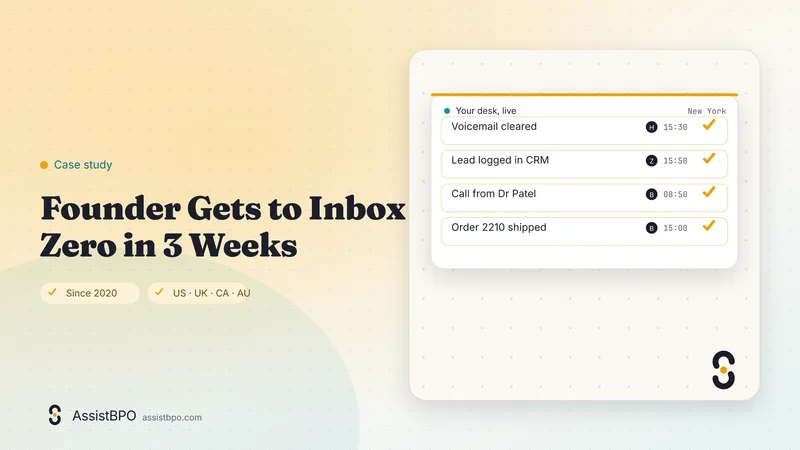
Founder Gets to Inbox Zero in 3 Weeks

The founder of a small software company in the UK was running sales, support and hiring from one inbox. Messages that mattered sat under newsletters, invoices and calendar noise, and the honest answer to most emails was a reply three days late with an apology at the top. Evenings went on catching up rather than on the product. AssistBPO matched a named executive assistant, employed by the group and working the founder's own hours, with a trained backup and a team lead. Week one was rules and labels, week two was drafting replies for approval, and by week three the assistant was answering routine mail directly under agreed rules. The founder now opens a short list of decisions rather than a wall of unread messages, and the day ends with a written report instead of an open laptop.

Software startup

Security and compliance

  1. Employed, background-checked assistants under NDA; never freelancers or subcontractors
  2. Access through your own user accounts with least-privilege permissions you set
  3. MFA enforced, managed devices, no local downloads of client files
  4. Payment details handled only inside your portals; assistants never store card numbers
  5. Activity visible in your tool audit logs, and access removed the day an engagement ends

Full control list on the security page and country rules for calls, texts and email on the compliance page. Certifications are listed only when held.

Country rules for this service

AssistBPO makes outbound calls, texts and emails only with lawful consent and do-not-call scrubbing. Assistants never take card numbers. Country rules.

  • US: card data stays in your payment portal under PCI DSS; assistants never see full card numbers
  • UK: a data processing agreement with the international data transfer addendum covers any personal data the assistant handles
  • Canada: CASL express consent is required before the assistant sends commercial email to a new contact

Frequently asked questions

How much do virtual assistant services cost?

Plans depend on hours, desks and coverage. Get a staffing plan within 1 business day. For orientation, US virtual assistants average $19.45 an hour on PayScale and $27.15 on Indeed, managed offshore assistants publish $7 to $15 an hour, and a full-time in-house admin hire runs $4,700 to $9,100 a month loaded (Wishup 2026 Industry Report and Cherry Assistant). AssistBPO quotes a monthly figure per named assistant for 80 or 160 hours, with the backup and team lead included rather than billed separately.

What can a virtual assistant actually do for me?

Anything repeatable that happens on a screen or a phone: documents, data entry, scheduling, follow-up emails, research, invoicing, file organization, form filling, listing updates and recurring reports. The Wishup 2026 Industry Report puts administrative work at 31.5% of VA workloads and admin plus marketing at more than 62%. What the assistant cannot do is make decisions you have not delegated, so we start by writing down the rules for the tasks you hand over.

Is the assistant a freelancer?

No. Every assistant is an employee of SS Support Network LLC, the group behind AssistBPO, recruited, trained, paid and managed by us. You do not co-employ them, you do not run payroll for them and you do not go looking for a replacement when life happens. The trained backup and the team lead are part of the engagement, which is the main difference from a marketplace hire at a similar hourly figure.

How quickly can we start?

A named assistant is proposed within 72 hours of the discovery call. Onboarding takes three to five working days depending on how many tools need access and how many tasks you want documented before go-live. Most clients send their first live task within a week of the call. If you need two or more assistants, we stagger the starts so the first one can help document the process for the second.

How do I send tasks and know they are done?

One channel, your choice: a Slack or Teams channel, a shared inbox, or a board in Asana, Trello or ClickUp. Every task gets an acknowledgment, a status and a completion note. The end-of-day report lists everything handled with timestamps, everything waiting on you and tomorrow's plan. Nothing disappears into a queue, and your whole team can see the same list.

Will the assistant work in my time zone and hours?

Yes. Shifts are fixed to your business hours, from US Eastern through Pacific and UK time, staffed from the group's two offices. You will see the assistant online for the full shift. Australian Eastern coverage is available on request. If you only need mornings for the phones and afternoons for admin, the 80-hour plan can be split to match.

Can the assistant call my customers and suppliers?

Yes. Confirmations, reminders, supplier chasing and customer follow-ups are all part of the job, on a softphone connected to your number. Any outbound campaign is run with lawful consent and do-not-call scrubbing under TCPA, PECR, CASL and the Australian Do Not Call Register. We do not make robocalls and we never do third-party debt collection.

What if I do not have enough work for 80 hours?

Most clients discover they do, once the assistant is documenting and running processes rather than waiting for one-off requests. If your volume is lower, the shared pod lets you buy a smaller block with a named point of contact. We would rather tell you that on the discovery call than sell you hours you will not use.

Dedicated assistant or shared pod, which should we start with?

Take the dedicated plan if the work arrives every day and the tools are yours: 160 hours a month for a full desk, 80 for mornings or afternoons only. Take the shared pod if tasks come in bursts and you mainly want overflow capacity with a named point of contact. The difference is not skill, it is continuity. A dedicated assistant writes the checklists and learns your exceptions; a pod works from what is already written down. Clients who start on the pod usually move to a dedicated desk once the processes exist.

What are the contract terms if this does not work out?

Month to month, with no long-term contract. Thirty days notice stops the plan or changes the hours on it, in either direction, so dropping from 160 hours to 80 is as easy as adding them was. If the assistant is not the right fit, tell the team lead instead of giving notice: the trained backup covers the desk the same day and we re-match you from the same pool at no charge, with your checklists and SOPs already transferred. There is nothing to renegotiate, because there is no contract to exit.

What do clients hand over in the second month?

Month one is the inbox, the scheduling and the data entry, because those are the easiest tasks to describe. Month two is usually the recurring work you had stopped noticing: the weekly report pulled from your tools, invoice preparation and payment reminders through QuickBooks Online or Xero, the supplier follow-ups nobody owns, file organization in Drive or SharePoint. The pattern repeats each time. Work moves across once the assistant has written the process down, and the quarterly SOP library is what makes the second wave faster than the first.

How do I write a task so it comes back right the first time?

Say what done looks like, not what to do. A good brief names the output, a formatted proposal PDF or 27 updated CRM records, then the source of truth, the deadline and the one rule that is easy to get wrong. Anything recorded once as a screen walk-through during onboarding becomes a checklist the assistant works from afterwards, so you brief it properly once rather than repeatedly. Where a task contains a judgment call, write the decision rule down. The end-of-day report will tell you soon enough if the rule needs changing.

Ask an AI assistant to summarize this page

Next step

Your desk, staffed. Wherever you are.

Tell us what is overloaded. A named person replies within 1 business day with a staffing plan, and we propose your assistant within 72 hours.

Get a staffing plan Book a 20-minute call

Or call +1-657-777-0006 during US, UK or Australian business hours, or hear our demo receptionist.

  • A named assistant proposed within 72 hours
  • Employed, screened and managed staff, never freelancers
  • Your hours, your tools, your data
Call WhatsApp Staffing plan