-
Assistants for SaaS companies and startups: how the pod runs
A startup virtual assistant from AssistBPO is a named, employed assistant who runs tier 1 support, sales admin, onboarding call scheduling, renewals prep and the operations work a small team keeps dropping, in your hours. One person learns your product, your Intercom or Zendesk setup and your HubSpot pipeline, with a trained backup and a team lead behind them.
01 / 06 -
What we handle
A startup virtual assistant from AssistBPO is a named, employed assistant who runs tier 1 support, sales admin, onboarding call scheduling, renewals prep and the operations work a small team keeps dropping, in your hours. One person learns your product, your Intercom or Zendesk setup and your HubSpot pipeline, with a trained backup and a team lead behind them.
02 / 06 -
Phones and admin together
Tier 1 and tier 2 support in Intercom or Zendesk with escalation rules you set
03 / 06 -
In your hours
Sales admin, demo booking and CRM hygiene inside HubSpot
04 / 06 -
What you see
Outbound only with lawful consent, CASL and GDPR checks and do-not-call scrubbing
05 / 06 -
A named assistant, a backup and a team lead
In your hours, inside your tools, with a reply from a person within 1 business day. Call +1-657-777-0006 or ask for a staffing plan.
Get a staffing plan 06 / 06
· Reviewed by Issabela Masters
What can SaaS companies and startups hand off first?
These 8 jobs are what AssistBPO's SaaS pod takes off SaaS companies and startups first.
Tier 1 support
Work the front of the queue in Intercom or Zendesk: how-to questions, account and billing changes, password and SSO problems, known issues answered from your macros, and anything reproducible confirmed before it moves up.
Bug triage and escalation
Reproduce the issue, capture browser, plan, account ID, steps and a screen recording, search for an existing ticket in Linear or Jira, then file or comment with your severity labels so engineers get a report they can act on.
Sales admin
Route inbound demo requests, enrich and dedupe leads, prepare call briefs from the CRM and the product usage data, send follow-ups and recordings, and keep deal stages honest before the forecast meeting.
Onboarding and implementation support
Book kickoff calls, send the requirements checklist, chase data files and admin access, provision users from the list, run the setup steps your playbook allows and track each account to first value.
Renewals preparation
Build the renewal packet 60 days out: usage summary, seat count against contract, open tickets, invoice history and the expansion or true-up question, so the account owner walks into the conversation prepared.
Help center upkeep
Turn recurring tickets into articles, update screenshots after every release, fix broken links, maintain the changelog page and keep macros aligned with what the product actually does now.
Billing and subscription admin
Issue invoices and receipts from Stripe, chase failed payments through the dunning sequence, process plan changes and seat adjustments, and reconcile the subscription list against the CRM each month.
Founder and ops admin
Vendor accounts, subscription audits, expense coding, contractor paperwork, recruiting scheduling, Notion documentation and the investor update data pulled and assembled for the founder to write.
What does a typical week look like for SaaS companies and startups?
Monday
Weekend ticket backlog cleared before standup, escalations from Saturday and Sunday confirmed with engineering, and the week's renewals and onboarding milestones listed by account owner.
Tuesday
Inbound demo requests routed and booked, leads enriched and deduped in HubSpot, and call briefs prepared with usage data for tomorrow's calls.
Wednesday
Help center articles updated from last week's ticket themes, release notes checked against macros, and reproducible bugs filed in Linear with recordings attached.
Thursday
Renewal packets built for accounts 60 days out, seat counts checked against contracts, failed payments chased, and at-risk accounts flagged to their owners.
Friday
Pipeline hygiene pass on stale deals, weekly support report on volume, first response and topics, subscription reconciliation, and next week's onboarding calls confirmed.
SaaS software we work in

Also in use
Which assistant roles do SaaS companies and startups use?
AssistBPO builds the SaaS pod from the 6 roles below, each one employed and managed rather than contracted.
-
Owns the ticket queue: first response, resolution from macros and the help center, escalation with a complete report, and CSAT follow-up.
-
Works the in-app messenger during your hours, qualifies product questions from buying questions, and hands sales conversations straight to an account executive.
-
Vendor admin, subscription audits, tooling access, internal documentation and the weekly ops rhythm a team of fifteen has no one to run.
-
List building, enrichment, sequence management and demo booking with lawful consent, CASL and GDPR checks and do-not-call scrubbing.
-
Onboarding tasks, usage check-ins, renewal packet preparation and the at-risk account list the account owner needs before it is too late.
-
Executive assistant to the founder
Calendar, investor and board scheduling, travel, inbox triage and the meeting prep that makes a founder's week survivable.
Which compliance rules apply to SaaS companies and startups?
The rules your pod is trained on before the first live shift, and the ones the team lead checks in the monthly QA scorecard.
CASL for Canadian outreach
Commercial electronic messages to Canadian contacts need express or implied consent under Canada's Anti-Spam Legislation, enforced by the CRTC, with the sender identified, a working unsubscribe honored within ten business days, and a record of when and how consent was obtained. Implied consent from an inquiry or an existing business relationship expires, so your assistant tracks the date on the record rather than assuming the address stays mailable.
GDPR and UK GDPR for European contacts
Prospect and customer data from the EU and UK needs a lawful basis, a record of the legitimate interest assessment where that is the basis, and an easy route to object. Data subject access, correction and deletion requests are logged the day they arrive and routed to your data protection contact, never answered by the assistant. Work happens inside your own tools under named accounts, which keeps your processor records straightforward.
TCPA and do-not-call for US phone outreach
Calls and texts to US prospects follow the Telephone Consumer Protection Act enforced by the FCC: documented consent or an established business relationship, calling hours of 8am to 9pm local time, scrubbing against the National Do Not Call Registry and your internal suppression list, and opt-out wording on every text. Mobile numbers are never autodialed, and state mini-TCPAs in Florida, Oklahoma and Washington are applied by area code.
Least privilege on customer data
Assistants work under named accounts with the smallest role that does the job, on managed devices with MFA and no local storage. No production database access, no exports of customer records to personal drives, and no card data, because payments live in Stripe or your own checkout. Vendor security questionnaires from your customers are routed to your team rather than answered by the assistant, and access is revoked the day you ask.
KPIs we report
AssistBPO reports 6 KPIs on the SaaS pod.
| KPI | Why it matters |
|---|---|
| First response time by tier | Measured separately for tier 1 and escalated tickets, because one number hides a queue that is fast on easy questions and slow on hard ones. |
| Tickets resolved without engineering | The share the desk closes from macros and the help center, which is the number that buys your engineers their focus back. |
| Escalation quality | Escalations that arrived with full reproduction steps and did not bounce back for more information. |
| Demo requests booked within an hour | Inbound buyers compare three products in an afternoon, so the booking window is the pipeline. |
| CRM field completeness on open deals | Stage, next step, close date and amount populated, because a forecast built on blanks is a guess. |
| Renewal packets ready 60 days out | Accounts with usage, seats, tickets and invoice history assembled before the renewal conversation starts. |
Case study
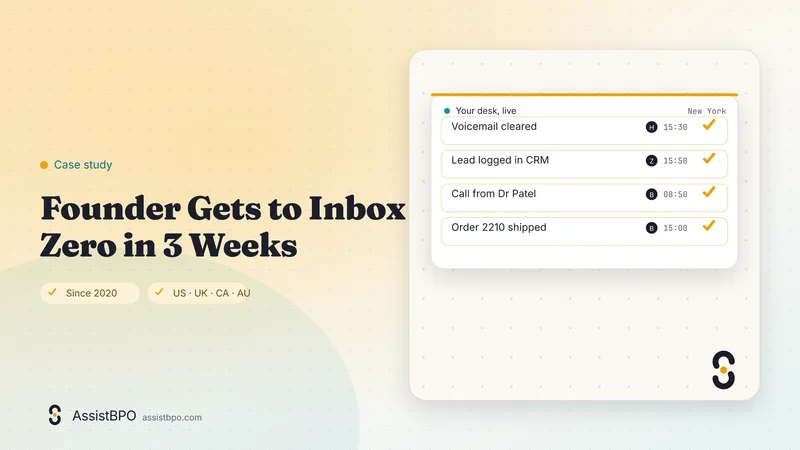
The inbox ends the day empty
Case studyFounder Gets to Inbox Zero in 3 Weeks
The founder of a small software company in the UK was running sales, support and hiring from one inbox. Messages that mattered sat under newsletters, invoices and calendar noise, and the honest answer to most emails was a reply three days late with an apology at the top. Evenings went on catching up rather than on the product. AssistBPO matched a named executive assistant, employed by the group and working the founder's own hours, with a trained backup and a team lead. Week one was rules and labels, week two was drafting replies for approval, and by week three the assistant was answering routine mail directly under agreed rules. The founder now opens a short list of decisions rather than a wall of unread messages, and the day ends with a written report instead of an open laptop.
Services for SaaS companies and startups
Each one is written for this sector: its tasks, its KPI and a scenario from this industry rather than a general description.
- Virtual assistant services for SaaS & startups
- Virtual receptionist services for SaaS & startups
- Appointment scheduling service for SaaS & startups
- Customer support outsourcing for SaaS & startups
- Email management virtual assistant for SaaS & startups
- Calendar management services for SaaS & startups
- Data entry services for SaaS & startups
- Appointment setting services for SaaS & startups
- CRM virtual assistant for SaaS & startups
- Social media virtual assistant for SaaS & startups
- After hours answering service for SaaS & startups
- Client intake services for SaaS & startups
Guides for SaaS companies and startups
Written for this sector: the tasks, the rules and the numbers, with every source named.
- Delegating customer service without losing customers: a 30-day plan How to outsource customer service in 30 days: a week-by-week plan with gates, macros, escalation rules and the four numbers that tell you it is working.
- How to onboard a virtual assistant in 72 hours (checklist) A day-by-day virtual assistant onboarding checklist: access before day one, a written brief by hour 24, real work by hour 48 and a report by hour 72.
- The whole library
Frequently asked questions
How much does a startup virtual assistant cost?
Plans depend on hours, desks and coverage. Get a staffing plan within 1 business day. For orientation, published US virtual assistant pay averages $19.45 an hour (PayScale via Wishup, 2026), and managed offshore assistants are typically quoted at $640 to $2,400 a month full time. A dedicated assistant is priced per person for a block of hours, so a launch week or a support spike does not change the bill, and there is no per-ticket meter to model in your budget.
Can an assistant really learn our product?
Yes, and the first two weeks are built around it. Onboarding covers a product walkthrough with your team, a read of the help center and the last 200 tickets, shadowing on live conversations, and a written playbook covering what the assistant answers, what gets escalated and how. The first week runs with every reply reviewed before sending. Your team lead then samples work monthly on the QA scorecard, and product changes are re-briefed at release.
What happens when the product breaks at 2am?
Your escalation tree runs, not the assistant's judgment. During covered hours the desk acknowledges affected customers from an approved incident template, posts the status page update your team has drafted, pages the on-call engineer by severity rule, and keeps a list of every account that reported the issue so follow-up is complete once it is fixed. The assistant never diagnoses, never promises a fix time and never touches production.
Which tools do your assistants work in?
Intercom, Zendesk, Front, Help Scout and HubSpot Service Hub for support; HubSpot, Pipedrive and Salesforce for sales; Linear, Jira, Asana, ClickUp and Notion for product and project work; Slack and Microsoft Teams for internal communication; Stripe and Chargebee for billing. Access runs through your own named accounts with the smallest role that does the job, using SSO where you have it, and can be revoked in minutes.
Do you replace a customer success manager?
No. A customer success associate handles the operational half of the role: onboarding checklists, data chasing, user provisioning, usage check-ins, renewal packets and the at-risk list. The relationship, the commercial conversation, the expansion pitch and the difficult escalation stay with your own CSM or founder. Most early teams find the split works because it gives one person the account time they never had.
How do you handle our customer data?
Assistants are employees of the group, background-checked and under NDA, working on managed devices with MFA and no local file storage. They work inside your tools under named accounts with least-privilege roles, not through exports. There is no production database access and no card data, because payments stay in Stripe or your own checkout. Security questionnaires from your enterprise customers are routed to your team rather than answered by the assistant.
What hours can you cover?
Your hours, and the ones you cannot staff. Most teams start with a shift that covers the queue before their own day begins, which clears the overnight backlog by standup. Companies with customers in several regions add a second shift or a weekend desk so the queue never gets a two-day gap. Coverage during a launch or a migration can be widened for a few weeks, and your team lead adjusts it in the weekly review.
Is the assistant a freelancer?
No. Every assistant is an employee of the group with a trained backup and a team lead, which matters more in support than anywhere else: a queue with nobody on it on a Tuesday is a customer problem, not a staffing inconvenience. You are not co-employing anyone. The team lead stays your single point of contact for the weekly review and the monthly QA scorecard, and the backup is trained on your product before they are ever needed.
Ask an AI assistant to summarize this page
Opens the assistant with a prefilled prompt so you can check our claims against the page yourself.