
Inbox to zero, every day

AssistBPO's email management virtual assistant takes your inbox to zero every day on a routine you approve. Triage into labels, drafts for anything that needs your words, replies to anything that does not, and a follow-up tracker so nothing waits on the other side.

  • Executive & admin
  • Employed, screened, managed

One named assistant, employed by the group, working your hours with a backup.

Get a staffing plan

A named person replies within 1 business day

A short call sizes the desk faster than email. We call only if you leave a number.

  • A named assistant proposed within 72 hours
  • A person replies, not a bot
  • Details stored only to reply. Privacy

What is inbox management?

Inbox management is the routine of sorting, answering, delegating and archiving email so the owner only sees what needs their attention. A dedicated assistant reads every message, files it by type, replies to routine requests, drafts responses for the owner to approve, flags anything urgent and tracks replies that are owed. The result is an inbox that starts and ends each day empty.

· Reviewed by Issabela Masters

  1. Email management: what we do and how it runs

    Inbox management is the routine of sorting, answering, delegating and archiving email so the owner only sees what needs their attention. A dedicated assistant reads every message, files it by type, replies to routine requests, drafts responses for the owner to approve, flags anything urgent and tracks replies that are owed. The result is an inbox that starts and ends each day empty.

    01 / 06
  2. What it is

    Inbox management is the routine of sorting, answering, delegating and archiving email so the owner only sees what needs their attention. A dedicated assistant reads every message, files it by type, replies to routine requests, drafts responses for the owner to approve, flags anything urgent and tracks replies that are owed. The result is an inbox that starts and ends each day empty.

    02 / 06
  3. What you get

    Inbox to zero by close of business, every business day

    03 / 06
  4. How it runs

    Labels, drafts, replies and follow-ups on rules you approve

    04 / 06
  5. Match

    A 20-minute call on your inbox: daily volume, the senders who matter, what you will never let anyone answer for you and the tone you write in. Within 72 hours we propose a named assistant with the writing sample to prove they can match it, plus a trained backup.

    05 / 06
  6. A named assistant, a backup and a team lead

    In your hours, inside your tools, with a reply from a person within 1 business day. Call +1-657-777-0006 or ask for a staffing plan.

    Get a staffing plan 06 / 06
Self-playing walkthrough built from this page's copy, about 36 seconds. Static storyboard under reduced motion; every scene is readable without pressing play.

Who is the email management desk for?

Founders with 200 or more unread emails
You reply at midnight and still miss things. A triage routine three times a day means you see 10 messages that matter, not 150 that do not.
Consultants and advisors
Client questions, scheduling requests and proposals arrive in one inbox. The assistant answers the routine, drafts the rest and keeps a log of promises made.
Sales and agency leaders
Inbound leads answered inside the hour, vendor threads kept moving, and every conversation logged to HubSpot or Salesforce without you copying and pasting.
Shared inboxes
info@, hello@ and support@ addresses that nobody owns. One assistant owns them, with response standards and a weekly report.

What does the email management service include?

These 12 tasks are what AssistBPO's email management desk handles as standard for a founder or executive.

  • Triage passes at set times, typically 8am, midday and 4pm in your zone
  • Label and folder system built around your decisions, not your senders
  • Replies to routine requests using approved templates in your voice
  • Drafts saved for anything that needs your judgment or signature
  • Unsubscribe and filter rules to stop newsletters reaching you
  • Follow-up tracker for replies owed to you, chased on a schedule
  • Meeting requests turned into calendar holds or Calendly links
  • Attachments filed to Drive or SharePoint with a consistent name
  • Lead and customer conversations logged to your CRM
  • Priority alerts by Slack or SMS for the senders you name
  • Shared inbox ownership for info@ and hello@ addresses
  • End-of-day report: replied, drafted, waiting on you, chased

Deliverables and KPIs

AssistBPO reports 6 measures on the email management desk: what lands on your desk, what we count, and how often you see the number.

DeliverableKPI we reportCadence
Inbox at zero at the end of each shiftMessages left unprocessed at closeDaily
Drafts ready for your approvalDrafts waiting, average time from receipt to draftDaily
Routine replies sentReplies sent, average response time under 2 hoursDaily
Follow-up tracker currentOwed replies chased on schedule, none older than 5 daysWeekly review
Filters and rules maintainedNewsletter and notification volume reaching youMonthly
Template library kept currentTemplates reviewed and approved by youQuarterly

KPIs are what we measure and report, agreed per engagement in the weekly review. Service-level commitments are set in your agreement, not on this page.

How does the email management desk work?

  1. Match

    A 20-minute call on your inbox: daily volume, the senders who matter, what you will never let anyone answer for you and the tone you write in. Within 72 hours we propose a named assistant with the writing sample to prove they can match it, plus a trained backup.

  2. Onboard

    We set up delegated access in Google Workspace or Microsoft 365, read your last 90 days of sent mail to learn your voice, build the label system and the first 15 reply templates, and agree the three triage times. The first week runs in draft-only mode so you can correct tone before anything goes out.

  3. Daily rhythm

    Three triage passes in your hours, priority alerts between passes for the senders you name, routine replies sent and judgment calls drafted, follow-ups chased on their due date, and an end-of-day report listing what was replied, drafted, filed and chased.

  4. Weekly review

    20 minutes with the team lead on volume, drafts you edited before sending, new templates worth adding and senders to promote or demote. Monthly, the team lead scores a sample of sent replies for tone and accuracy on the QA scorecard.

Hours, coverage and models

AssistBPO staffs the email management desk on 3 models. Triage passes are scheduled inside your business hours: US Eastern to Pacific, UK and Canadian time from the group's two offices. Australian Eastern coverage is available on request.

  • Dedicated inbox assistant, 80 hours a month, split across triage passes
  • Full-time executive assistant with inbox as the core duty, 160 hours a month
  • Shared inbox pod for info@, hello@ and support@ addresses with volume above 100 messages a day

See what is staffed in your zone on the coverage clock.

What are the terms on the email management desk?

The card, the contract terms and the email management desk's own numbers, in one place.

What are the terms on the email management desk?
SpecificationWhat you get
Focus, 20 hours a week$800 a month, 80 hours
Dedicated, 40 hours a week$1,600 a month, 160 hours
Managed Pod, three seats or moreFrom $4,800 a month
DeskExecutive & admin desk
Standard scheduleDedicated inbox assistant, 80 hours a month, split across triage passes
CoverageTriage passes are scheduled inside your business hours: US Eastern to Pacific, UK and Canadian time from the group's two offices.
Tools9 platforms, including Google Workspace, Microsoft 365, Slack
KPIs reported6 measures: daily, monthly, quarterly
Setup feeNone
Minimum termMonth to month, no lock-in
Notice30 days, to stop or to change hours
If the fit is wrongTrained backup covers the desk the same day, re-match at no charge
ContinuityOne named assistant, one named backup, one team lead
Who does the workEmployed by SS Support Network LLC, never freelancers or contractors

These are rate-card starting points. What you pay depends on the hours, the desk and the coverage window, which is what the staffing plan sets. Rates improve as you add assistants. Your staffing plan states the rate for the number of seats you need. The rate card carries the other currencies, the add-ons and the six things that move a plan off it.

How much does email management cost?

Plans start at $400 a month for 40 hours, at $10 an hour, and rates improve as you add assistants. Get a staffing plan within 1 business day.

What moves the plan

  1. Hours a week and whether the desk is dedicated or shared
  2. Phones: live answering needs a receptionist profile and a backup
  3. Coverage zone: business hours, after-hours, weekends or 24/7
  4. Tools and access to set up
  5. One person or a pod with a lead

What the market publishes

Other providers' published ranges, by market, so you have something to hold this against. These are not AssistBPO prices.

Third-party published rates by market, dated, for orientation only
MarketPublished rangeSource
United StatesVirtual assistants average $19.45 an hour on PayScale and $27.15 an hour on Indeed; administrative tasks account for 31.5% of VA workloads and admin plus marketing for more than 62%PayScale and Indeed via Wishup 2026 Industry Report
United StatesManaged offshore assistants $7 to $15 an hour, part-time 20 hours a week $350 to $1,300 a month; premium US services $28 to $36 an hour at Time etc and from $499 a month at WingCherry Assistant, Zedtreeo and Staffify roundups, 2026
United KingdomInbox management by UK virtual PAs at £25 to £45 an hour; agency plans from £330 for 10 hours a monthSVA surveys and SmartPA published pricing, 2026
AustraliaOnshore admin support A$39.90 to A$65 an hour; offshore managed A$8 to A$35 an hourDotVA and Virtual Coworker published pricing, 2026

Get a staffing plan How we build a plan

Proof

Case study

One engagement on this desk, anonymized. Numbers appear only once the owner has verified them.

All case studies

The inbox ends the day empty

Case study

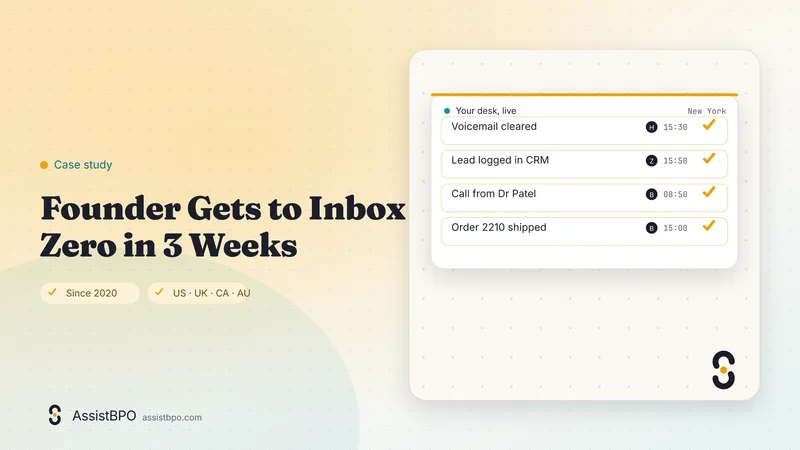
Founder Gets to Inbox Zero in 3 Weeks

The founder of a small software company in the UK was running sales, support and hiring from one inbox. Messages that mattered sat under newsletters, invoices and calendar noise, and the honest answer to most emails was a reply three days late with an apology at the top. Evenings went on catching up rather than on the product. AssistBPO matched a named executive assistant, employed by the group and working the founder's own hours, with a trained backup and a team lead. Week one was rules and labels, week two was drafting replies for approval, and by week three the assistant was answering routine mail directly under agreed rules. The founder now opens a short list of decisions rather than a wall of unread messages, and the day ends with a written report instead of an open laptop.

Software startup

Security and compliance

  1. Employed, background-checked assistants under NDA with delegated access, not your password
  2. Access granted and revoked from your own Google or Microsoft admin console
  3. MFA on the assistant's account, managed device, no mail client on personal hardware
  4. Sensitive threads you flag (legal, HR, banking) are excluded from triage by rule
  5. Every sent reply is visible in your Sent folder; nothing is deleted, only archived

Full control list on the security page and country rules for calls, texts and email on the compliance page. Certifications are listed only when held.

Country rules for this service

AssistBPO makes outbound calls, texts and emails only with lawful consent and do-not-call scrubbing. Assistants never take card numbers. Country rules.

  • US: CAN-SPAM identity and unsubscribe rules apply to any bulk email the assistant sends in your name
  • UK: PECR consent rules apply to marketing email; the DPA covers delegated mailbox access
  • Canada: CASL express consent is required before commercial email goes to a new contact

Frequently asked questions

How much does an email management virtual assistant cost?

Plans depend on hours, desks and coverage. Get a staffing plan within 1 business day. For orientation, virtual assistants average $19.45 an hour on PayScale and $27.15 on Indeed, part-time managed assistants at 20 hours a week publish $350 to $1,300 a month, and UK virtual PAs charge £25 to £45 an hour (Wishup 2026 Industry Report; SVA surveys). Inbox management is usually bought as an 80-hour plan or as the core duty of a full-time executive assistant.

Do I have to give the assistant my password?

No. Google Workspace and Microsoft 365 both support delegated mailbox access: the assistant signs in with their own account, under your MFA policy, and you can see and revoke that access from your admin console at any time. Nothing is set up through password sharing. If you use a different mail platform we will tell you on the discovery call whether delegation is possible or a shared inbox is the better route.

How do you learn to write like me?

The assistant reads your last 90 days of sent mail before day one and builds a short style sheet: greeting, sign-off, sentence length, the phrases you use and the ones you never would. Week one is draft-only so you can correct anything. From then on the team lead samples sent replies every month and scores tone on the QA scorecard. Most clients stop editing drafts by week three.

What will the assistant never answer for me?

Whatever you put on the exclusion list. Typical entries are legal threads, HR and pay, banking, board and investor mail, and anything from a named list of people. Those messages are labeled and left for you, with a one-line summary if you want it. The rule is written down during onboarding and reviewed in the weekly review, so it changes when your comfort changes.

Can the assistant handle our shared info@ inbox as well?

Yes. Shared inboxes are the easiest win because they are almost all routine. The assistant owns the address, answers from templates, routes real enquiries to the right person and logs leads to your CRM. Above about 100 messages a day we recommend the shared inbox pod so two people cover the volume with a single response standard and a weekly report.

How fast will emails get a reply?

Routine messages are answered inside the next triage pass, so typically within two hours during your business day. Senders you name as priority trigger an alert between passes. Messages that need your judgment are drafted in the same pass and wait in your drafts folder. Response times are tracked in the end-of-day report, so you will see the numbers rather than take our word for it.

Is inbox zero really realistic?

For most inboxes, yes, because most email is filing, not deciding. The assistant archives what needs nothing, answers what needs a routine reply, drafts what needs you and unsubscribes what should never have arrived. What remains is a short list of decisions. The point is not an empty folder for its own sake; it is that you open your inbox and every message in it is one you need to see.

Which email platforms do you support?

Google Workspace and Microsoft 365 cover most clients and both support delegation. We also work in Front, Help Scout and Zendesk for shared inboxes, and in HubSpot or Salesforce inboxes where sales teams live. If a lead or customer thread needs to be logged, the assistant does that as part of the triage pass rather than as a separate task.

Ask an AI assistant to summarize this page

Next step

Your desk, staffed. Wherever you are.

Tell us what is overloaded. A named person replies within 1 business day with a staffing plan, and we propose your assistant within 72 hours.

Get a staffing plan Book a 20-minute call

Or call +1-657-777-0006 during US, UK or Australian business hours, or hear our demo receptionist.

  • A named assistant proposed within 72 hours
  • Employed, screened and managed staff, never freelancers
  • Your hours, your tools, your data
Call WhatsApp Staffing plan